

Chord type: DIM, MIN, MAJ (MIN+MAJ = SUS)Extensions: 6, 7, maj7, 9Roots C4-G5: play the chord
Getting around
- tap HOME
- Back to the main screen; there: the next view.
- hold HOME
- View menu: Chord, Keyboard, Notes, Geek Out, Scope.
- tap GLO
- Options: SELECT picks the entry, KNOB 1 its value.
- tap OCT-
- Roots an octave down (OCT+ up); in a layer: closes it.
Playing
- white key 6
- Alone, any key from C4 up plays one single note.
- hold black key 3+white key 6
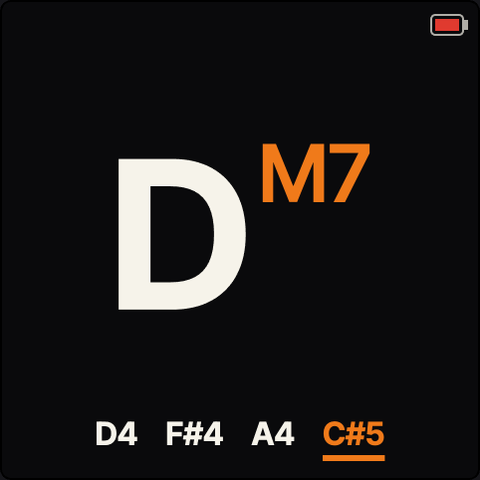
- D major: the chord type held first, then the root.
- hold black key 2+white key 6
- D minor (black key 1 = DIM: diminished).
- hold black key 2+hold black key 3+white key 6
- Both small keys under one finger: SUS (Dsus).
- hold black key 3+hold white key 2+white key 6
- D7: F3-B3 add 6, 7, maj7, 9 to the type; they stack.
- tap LFO
- LOCK: chord keys stay on after release; tap again: off.
- turn KNOB 1
- Voicing: moves the chord's notes up or down by octaves.
- tap SEL
- Key Mode: a lone root plays its scale chord (C major).
- hold SEL+white key 6
- Set the key to D; OCT- closes (hold MIN too: minor).
- tap ARP
- Strum / arp on or off; hold ARP to pick the mode.
Sound
- turn PRESETS
- Next or previous chord sound of the same engine.
- hold GLO+turn PRESETS
- Change engine: FM6, FM TONE, VA, CZ-1, P5, WHEEL, GRAIN.
- tap ENV
- Bass on / off: a bass note under every chord.
- turn ALGORITHM
- The bass sound (first step: off).
- turn KNOB 2
- Bass register, in octaves.
- hold ENV
- BASS layer: Chords Only, Unison, Single Notes, Solo.
- tap EDIT
- Sound editor for the chord sound; EDIT again leaves.
Sequencer / patterns
- turn SELECT
- Tempo, 20-300 BPM.
- tap REC
- Arm the looper: the first chord starts, REC again ends.
- tap PLAY
- Play / stop the loop (it records chords, not audio).
- hold REC
- Undo the last recorded layer.
- hold PLAY
- PLAY menu: PRESETS slot 1-10, ALGORITHM record mode.
- hold GLO+tap SEQ
- Metronome on / off.
Effects
- tap FX
- All effects on / off.
- hold FX
- FX layer: Sends first; SELECT steps to reverb, chorus, delay, drive.
- turn KNOB 4
- Chord send into the effect last picked in the FX layer.
Saving & loading
- tap SAVE
- Save menu: Overwrite or Save as new; OCT+ saves.
- hold SAVE
- Save everything: settings, LOCK, bass, FX and the loop.
- hold GLO+hold SAVE
- Both for 1 second: back to the last save.
Recovery
- hold OCT-+tap OCT+
- PANIC: every note off, LOCK and LATCH cleared.
- hold OCT-+power on
- Update mode (three flashes) for reinstalling.
- hold OCT-+hold OCT++hold HOME
- 5 seconds while running: update mode too.
Good to know
- Chord keys must be down before the root goes down; the chord name stays on screen.
- Any held button (FX, SEL, ENV, ARP, LFO, PLAY) opens its layer and it stays open; OCT- or HOME closes it.
- SUS = G#3 and A#3 together: lay one finger across both small black keys.
- Loops and settings survive power-off only after holding SAVE (the global save).
- Classic Orchid layout (SUS on C#4, 9 on C4, LOCK on B3): Options > Chord Keys.
- LATCH (keeps the sound ringing, e.g. an arpeggio): hold GLO, then tap LFO.
- Try it without the FM-1 first: quixotic7.github.io/ChoralRootFM1/emu/
A community cheat sheet by the hub, not by the firmware's makers: when in doubt, their manual is right.