
Baud GirlFM-1+VA
The one everybody asks for, and rightly: a virtual analog engine (Super mode with seven detuned oscillators, ZDF filters), an 8-bit engine with drums and game sounds, the FM engine, and a sequencer of up to 64 steps with chords, ratchets and chance. Free, from its maker; keeps your presets and patterns.
Install on baudgirl.com ↗FM1 OpenV14
M-VAVE's own open firmware: 8 tracks, 8 sample slots, 16 FX demos and (new in V14) a DX7 library of 128 voices, track roles and MIDI routing, with its source and an SDK to build your own on it. M-VAVE's Workbench in the browser installs it, edits it and plays a preview without an FM-1.
Official M-VAVE firmware · app GPL-3.0, sound engine closed source (binary SDK)
Install with M-VAVE's Workbench ↗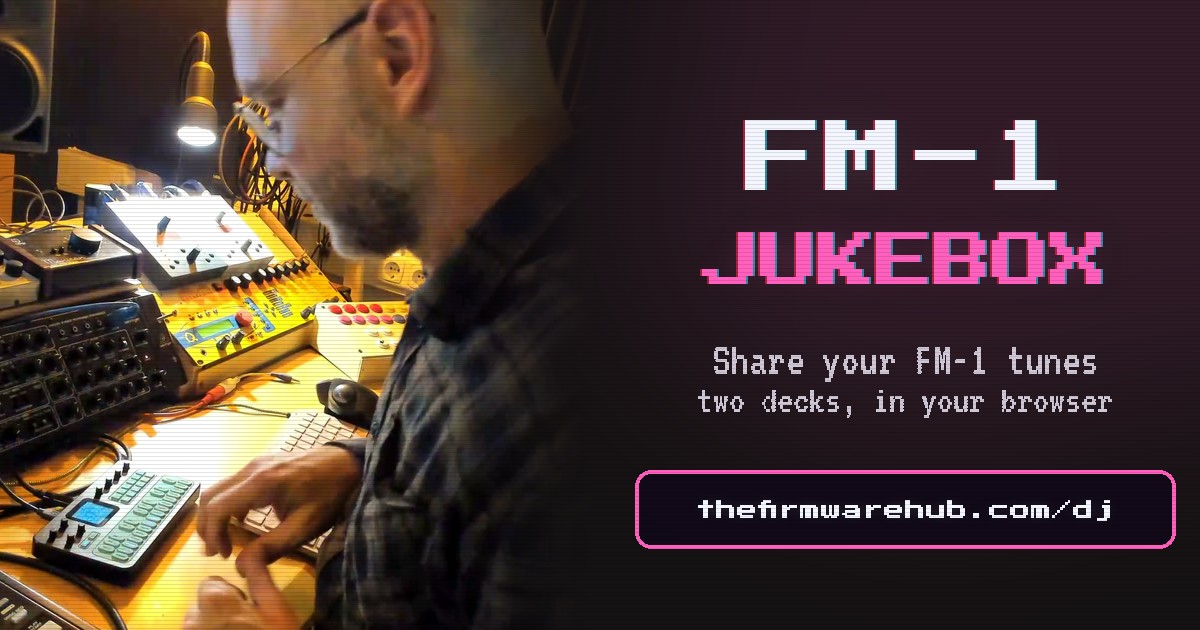
FM-1 Jukebox new
Made a track with an FM-1 in it – alone or with the rest of your gear? Upload it: it goes into the Jukebox, on two decks right in your browser, with your name on the display and your link in the credits.
Your firmware
Made a firmware for the FM-1? Put it here, with your name and your links. Open source (GPL-3.0, MPL-2.0 …) installs in one click from the hub; closed source goes on as a link card.
V15
Official firmware
Back to M-VAVE's own FM-1 V15 in one click: the file M-VAVE publishes in its own repository (m-vave/fm1_open, Apache-2.0), served here unchanged and checked byte for byte before anything is written.
RESCUE
Rescue a stuck FM-1
No installer finds the FM-1 any more, or an update stopped and it will not come back? Its chip has a bootloader in ROM that no firmware can overwrite. FM-1 rescue: step by step for Windows, Mac and Linux, by what you see. Here: the button that sends it there (any computer, Chrome or Edge), and two commands for Linux.
Show the rescue steps
curl -fsSLO https://thefirmwarehub.com/rescue/fm1_rescue.py
sudo python3 fm1_rescue.py sloop
On a Mac: M-Flasher, step by step. On Windows, or with a full backup first: MvaveFM1Unbricker by Quixotic7 (MIT) takes the same way in. It reads the whole flash twice and keeps it, writes only the firmware area and checks every byte. An FM-1 that never shows "UBOOT1.00" at all comes back with its Transporter guide and a small RP2040 board.
MvaveFM1Unbricker ↗Looking for Groove OS? It is not open source, so it cannot be mirrored here: get it from its maker, groove-os.com.
Questions
Which custom firmwares are there for the M-VAVE FM-1?
All free and open source (GPL-3.0): Felucca, the custom firmware the others build on, and Felucca [Salt], its fork with a browser Studio; SLOOP, a live groovebox, and sloopDX, SLOOP with a DX7 inside; zp12, a standalone 12-bit sampler and drum machine; X0X, 909/808 drums and two 303s; FoMni, a chord harp; ChoralRoot, a chord instrument; Jangada, dark drones and ten engines; Melodee, microtonal scales, a CZ-1 and a Dexed; Hortator, an eight-track drum machine; FiMba-1, a kalimba; GHOULBOX, dungeon synth with a cathedral reverb and a hurdy-gurdy; SLOOP Floyd FM, a visual four-operator FM engine; SLOOP DX7 Banks, twelve DX7 banks in SLOOP; WaveLoop, Felucca played from an Arturia MiniLab 3; JIANT FM, six tracks as living beings in thermal colours; fm1-chord, a chord machine after the HiChord; FuMi-1, a shigin conductor after the Suiko ST-50; MAKU, an ambience machine for DJ interludes; Rainbow Mode, a music toy for little children; AMB-1, a generative ambient machine after Music for Airports; CTL-1, a MIDI controller with sounds of its own; Polly, a pocket arranger whose band follows your chords; winampFM Synth, Winamp 2.x with your sounds as a playlist; MYCELIUM, Forest, Psytrance and Goa grooves; Bubba Machine, a six-track groovebox written from scratch; ETCH, waveforms you draw and morph; FM-106, a Juno-106; TRIBE, ten tracks where any engine plays anywhere; DUELL, a bitimbral morphing synth; Skiff, six tracks and fourteen engines; ORBIT, a four-track groovebox with OP-1-style screens; Felucca 8 Patterns, eight sequences a track; and Fart Machine One, which is exactly what it says. Make firmware, not war: you do not have to choose one for good.
How do I install a firmware on the FM-1?
In Chrome or Edge (they speak Web MIDI): connect the FM-1 by USB, press Connect FM-1, then Install on the firmware you want. About a minute, the FM-1 restarts as a different instrument. No app, no driver, no file to download.
Why only open-source firmwares?
The hub lists firmwares that are free software, released with their source (GPL-3.0): so every package can be mirrored unchanged, checked and kept available, and anyone can see what it does. Closed or paid firmwares are not listed. The one exception is M-VAVE's own FM1 Open, shown as the official firmware: its app is GPL-3.0, its sound engine closed source (a binary SDK), and it installs from M-VAVE's Workbench, not from the hub.
Why is Baud Girl only a link? Where is Groove OS?
Both are fine firmwares for the FM-1, but neither is open source: there is no published source and no license that allows passing the package on, so this page may not mirror them. Baud Girl is asked for so often that it has a card anyway: the button takes you to Madeline's own installer (free, tips on Ko-fi). Groove OS installs from groove-os.com. If either becomes open source with a release on GitHub, it goes on here like the others.
Is it always the newest version?
Yes. Every night the hub looks at each project's repository and offers its newest release, after checking that the package is an FM-1 firmware with the update loader. Betas are marked.
How do I go back to the official firmware?
Press Back to official V15 in the box above: M-VAVE's own file from its repository, served unchanged and checked byte for byte (or choose V15 downloaded from m-vave.com there). If the FM-1 is stuck, hold OCT− while switching it on (USB rescue) and install again; if no installer finds it at all, rescue it with a hub firmware first.
Are the firmwares safe to flash?
Every firmware here is open source, and every package is built by GitHub Actions straight from its public code – the card links the exact commit and its build log, and GitHub's signature proves the file came from there. The hub checks each package before it offers it: an FM-1 firmware with the FM-1's update loader, nothing else. And nothing can lock you out: the FM-1's bootloader sits in ROM, no firmware can overwrite it, and Back to official V15 or the Rescue always bring it back. What a firmware does once it runs is up to its maker – its code is there for anyone to read.
My FM-1 says "save error" – or saves are gone after switching off. A newer chip?
Probably. FM-1s sold since autumn 2026 have a different flash chip, 0xB36014 (the first ones: 0x856014). Your FM-1 is fine – but a firmware that only knows the old chip keeps your saves in RAM, gone when you switch off, and updates from it may fail. Tick Saves on newer FM-1s in the filter for the firmwares that know it (read from each package; the card's pop-up says it too). Already stuck on one that refuses every update? Don't install again and again: the rescue page shows the way, for Windows, Mac and Linux.
My FM-1 is stuck: no installer finds it any more. Is it bricked?
Almost certainly not. The FM-1's chip has a bootloader in ROM that no firmware can overwrite. The FM-1 rescue page goes by what you see: the tools that put a firmware back through it on Windows, Mac and Linux, each saving the whole flash first. On Linux, the Rescue box here does it with two commands.