
The Firmware Hub · FM-1 · BoopBox

BoopBox1.9.10

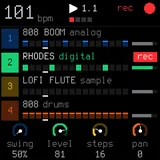
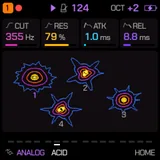
An eight-track groovebox you play live, for any style. Each track is a synth or a drum machine, with 223 presets on thirteen engines, 37 drum kits, a 64-step sequencer with locks, song sections, 27 punch-in effects, your own samples, MIDI and USB audio.
Text by the maker.
About it
- Runs on
- FM-1 · Browser ↗
- Release
- 1.9.10 · released 23 Nov 2026 · on the hub since 24 Nov 2026596 KB · what's new
- Licence
- GPL-3.0 · source ↗ · copy on the hub
- Flash chip
- Every FM-1, the newer chip
0xB36014too - Identity
FM-1_26670what it reports over USB while it runs- Build
- Built by its maker, not signed
- Popular
- ↓ 6 installs via the hub · ★ 2 on GitHub
Ratings
Like BoopBox
Changelog
What changed, version by version28 versions
1.9.10
Other FM-1 installers find BoopBox again. The FM-1's MIDI port is now named BoopBox FM-1 (it was *BoopBox*). Installers of other FM-1 firmwares, such as SLOOP's, look only at MIDI ports with *FM-1*, *Felucca* or *SLOOP* in the name, so they skipped the port *BoopBox* and said *FM-1 not found*. BoopBox's own installer and editor find both names. If a music app or a MIDI routing remembers the port as *BoopBox*, choose *BoopBox FM-1* again. Windows can keep the old name of the port until you remove the FM-1 in Device Manager and plug it in again.
Nothing else changed. Projects, presets, samples and settings from 1.9.9 open as before.
1.9.9
BoopBox's identity no longer changes with the version. BoopBox now reports FM-1_26670 and BoopBox Trainer FM-1_26671, in this version and every one after it. 1.9.8 reported FM-1_26670010908, and The Firmware Hub refused it: an identity there is FM-1_ and 3 to 8 digits. Installing, updating from 1.9.8 and going back work as before, and an interrupted update still resumes ([BUILDING.md](BUILDING.md#build)).
Clear the whole song in one action. A new SAVE page, CLEAR, comes after TOOLS (SELECT walks USER, SECTION, TOOLS, CLEAR). Turn SONG (KNOB 1) to GO, with the song stopped: BoopBox makes a new loop (as TOOLS → NEW), erases the sections A–D and sets the song order back to A B C D, in loop mode (*SONG CLEARED*). Before, this took NEW and four section erases. Your user presets, kits, samples and the settings of the FM-1 do not change. There is no undo: if you are not sure, export the song in the editor first ([Guide §13](GUIDE.md#13-undo-clear-save-sections-autosave)).
A tap on SAVE always opens the SAVE pages. On TRACKS and on the DRUMS screen, a tap on SAVE used to open the SONG screen. It now opens the SAVE pages (USER, SECTION, TOOLS, CLEAR), as it does on every other page. SELECT, or SAVE again, goes from one to the next. On the SONG page, a tap on SAVE still saves the song. In the sound browser, it still keeps the sound.
SONG is the last SEQ page. To open it, tap SEQ until you see SONG (from NOTES, six taps), or hold SAVE and press key 16. SELECT now goes from SCENES to SONG and back, so the SCENES tab that pointed to SONG now goes there.
The sound browser is no longer one of the SAVE pages. The bottom line of USER showed PRESETS as the page before it, and the browser showed USER as the page after it. SELECT went left from USER into the browser, but could not go back. The SAVE pages now show only USER, SECTION, TOOLS and CLEAR. The browser still opens with PRESETS, and SAVE (keep the sound) or HOME (put back the old sound) still closes it.
The trainer's level 3 now says *TAP SEQ UNTIL YOU SEE SONG* to get to the SONG page.
Projects, presets and settings from 1.9.8 open as before. A project saved by this version opens on 1.9.8 too.
1.9.8
Pattern changes and scenes land on the beat in the jam rooms. When you ask for a pattern on PATTERNS or launch a scene, the FM-1 now tells the room at once, and every listener makes the change at the moment your PAT Q says (the loop's end, or 1, 2 or 4 bars) on the room's beat, as your FM-1 does. They used to hear it up to 2.5 seconds later, in the middle of a bar.
Changed for the web editor and other tools: the editor protocol is version 14. WATCH with bit 2 also pushes PATS (78): per track the pattern playing and the one asked for, the scenes and PAT Q ([web/EDITOR_PROTOCOL.md](web/EDITOR_PROTOCOL.md#v14-pattern-changes-as-they-are-asked-for-boopbox-198)). Nothing changes without bit 2.
BoopBox has its own identity. The identity is the name an FM-1 reports over USB, and installers use it to tell which firmware is on it. BoopBox used FM-1_9 and two digits of its version (1.9.7 was FM-1_919). Other firmwares use the same numbers, and BoopBox 2.0 would have reported ChoralRoot's. From this version, BoopBox reports FM-1_26670010908 and BoopBox Trainer FM-1_26671010908 (FM-1_2667, then the firmware, then the version: see [BUILDING.md](BUILDING.md#build)). Installing, updating and going back work as before, and an interrupted update still resumes. BoopBox is getting ready for The Firmware Hub, which asks each firmware for an identity of its own.
Projects, presets, samples and settings from 1.9.7 open unchanged.
1.9.7
An install that is cut off no longer leaves a dead FM-1. If the cable came out or the battery ran flat during an install, the FM-1 could start the half-written firmware and show a black screen, with no USB to install again. The update loader now clears the start of the firmware first and writes it back last, after the whole package has been checked. A cut install leaves nothing to start, so the FM-1 comes up in update mode and you can run the install again. This works from the first install of this version: the loader comes in the package. Keep the battery charged anyway.
Also fixed in BoopBox:
- On battery, with no USB cable, BoopBox looked for a computer once a second and stopped the screen and the handling of keys and MIDI for about 30–40 ms each time. It now looks without stopping anything.
- The key and LED scan, which runs 10,000 times a second, now runs from RAM instead of flash, so it no longer competes with the sound for the flash.
- SEL + KNOB 2 (SCALE) with a drum track selected went only between CHR and MAJ when turned slowly. It took the new scale from the drum track's own scale, which never changes. Now it takes it from a synth track, and each detent goes to the next scale.
- SONG, PATTERNS, CHAIN, SCENES, CHORDS and the DRUMS screen show their page tabs at the bottom, as the other pages do: the page in a box between the page before and after it, and a dot for each page of its button. Their name in large type is gone (on DRUMS: the page names at the top right).
- SONG, PATTERNS, CHAIN, SCENES and CHORDS have the status bar of every page at the top (play, tempo, the track's sound and number, battery). The line under it shows what OCT+ and OCT- do there for 4 seconds after the page opens, then what the page is about. Messages show in the status bar, as on every page, not over the knobs.
- CHAIN shows all 16 slots at once, two rows of eight. The row of keys 1–8 under them is gone (the keys add patterns as before).
- White keys 9–16 launch scenes on the SCENES page only. On PATTERNS and CHAIN they now do nothing, so a stray key no longer changes every track from a page about one. The PATTERNS screen no longer has a keyboard strip (it showed the same as the tiles); its eight tiles are taller.
- SEQ held + SAVE no longer jumps to SCENES. To get to PATTERNS, CHAIN and SCENES, tap SEQ, then turn SELECT through the SEQ pages. SEQ held + SAVE now does nothing (it opens neither SONG nor NOTES).
Changed in BoopBox Trainer:
- The way to PATTERNS, CHAIN and SCENES is now *TAP SEQ, SELECT TO PATTERNS* (SEQ, then turn SELECT through the SEQ pages), not *HOLD SEQ + SAVE, SELECT LEFT ×2*.
- The coach changes tracks from the HOME screen only. When a step needs another track, it says *TAP HOME* first, then *TURN ALGORITHM TO TRACK 4*, then the way back to the step's screen.
- The screen's name shows on SONG, PATTERNS, CHAIN, SCENES and CHORDS. The coach covers their header, but their name is now in the page tabs at the bottom of the screen.
Projects, presets, settings and the trainer's progress from 1.9.6 open as before.
1.9.6
Fixed in BoopBox Trainer (the page card that came in 1.9.5 now covers these steps too):
- The sound and kit steps said *TURN PRESETS, FOLLOW THE DOTS* on any screen, but PRESETS opens the sound browser from the HOME screen only. Elsewhere it did nothing, and the step could not be done. Off the HOME screen, the coach now shows *GO TO THE HOME SCREEN* and *TAP HOME* first.
- The octave steps and the steps where you play notes on the keys now check the screen too: on the PATTERNS, CHORDS, SONG and DRUMS screens the keys and OCT- / OCT+ do other things. The octave steps also check the track (OCT- / OCT+ do nothing on a drum track).
- From the SONG, DRUMS and CHORDS screens, the way to an ENV page is now *TAP HOME, THEN TAP ENV* (ENV does nothing there).
- With REC armed, or while recording, the coach gave a step's controls, but on the REC screen they do other things (PRESETS, HOME and SELECT too). It now shows *TURN RECORDING OFF* and *TAP REC (REC OFF)* first. No lesson records.
- With the step's menu open (OCT+ held on NOTES or the drum grid), the coach said *KNOB 1 TO STEP 5*, *KNOB 4 TO ACC*, *ADD HAT (KEY 3)* or *NOW OCTAVE 0*, but the knobs then work the menu, the keys do not write, and OCT- / OCT+ act on the menu. It now shows *CLOSE THE STEP MENU* and *TAP OCT-* first (the menu stays for SLIDE and RATCHET).
- The song steps and song mode while the music plays: the SONG page answered *STOP FIRST*. The coach now shows *STOP THE MUSIC* and *PRESS PLAY TO STOP* first.
- A button held that the step does not use (its layer changes what the knobs and keys do; REC held clears the track): the coach shows *LET GO OF SEQ* (or the button's name) first. When ALGORITHM is blocked only by a held button, it says that too, not *TAP HOME*.
- BoopBox's menu open: the coach's line now shows in the menu's header, *BACK TO THE LESSON* and *TAP OCT- (CLOSE)*.
- A track changed to the other kind (TOOLS → KIND, or a kit chosen on a synth track): its pattern, sound and settings went back to their defaults, and the coach did not see it. Now the steps of that track ask for *MAKE IT A SYNTH TRACK* (or *A DRUM TRACK*), and the browser's dots lead to the track's own sound. Then the coach goes back only to the steps that no longer hold, and on to the step you were on.
- In the sound browser, a sound or kit on the other side (a kit for a synth track) said *FOLLOW THE DOTS: KNOB 2, 3*, but those knobs stay on their side. It now says *KNOB 1 RIGHT: DRUMS* or *KNOB 1 LEFT: SYNTH* first.
- *THE SONG IS IN …* and *… MINOR* checked track 1 only, but SEL sets every synth track. A track that had lost them played in the wrong key. They now check every synth track.
- The drum grid's, NOTES' and TIMING's page steps now check that their track is selected (*TURN ALGORITHM TO TRACK 4*).
- Continuing a level after power-off checked the steps since the last pattern or section change, and a later step that added to a pattern made an earlier one fail: in level 1, after *SNARE*, it went back to *KICK* and asked to take the snare out. Now a step done again by a later one is not checked, a track's sound and settings are checked across the whole level, and after the steps that broke it goes on where you were.
BoopBox itself is unchanged apart from its version. Projects, presets, settings and the trainer's progress from 1.9.5 open as before.
1.9.5
BoopBox Trainer: the coach shows the way to a step's screen. A lesson step that needs a screen (the SONG page, the NOTES page, the drum grid, PATTERNS, SCENES, CHAIN, the FX or ENV page, the HOME screen) now checks that you are on it. When you are not, the coach shows a card of its own in place of the step: *GO TO THE SONG PAGE* and only the way there (*TAP SAVE*, or *TAP HOME, THEN TAP SAVE*), with that button blinking. When you get there, the step shows again. The card does not count as a step. The steps' actions now say only what to do on their screen (*TURN KNOB 4 (REV) TO 40%*, where they said *TAP FX, TURN KNOB 4 TO 40%*). See [the coach](docs/trainer.md#the-coach).
Fixed in BoopBox Trainer:
- Level 3, *SEVEN PARTS*: away from the SONG page (on HOME, KNOB 3 is the track's steps and KNOB 4 its pan), the coach said *KNOB 4: STEPS TO 7* and the step could not be done. It now shows the way to the SONG page.
- A note's length, accent or slide, a lock's value or slide, the song mode, and HOME's level, pan and tempo steps also gave their knob off their screen, where that knob changes something else. They now show the way first.
- On HOME, the drum steps said *TAP HOME, THEN SEQ*. They now say *TAP SEQ*.
- Level 3 played again: *SAVE IT AS A* to *D* could not be done when the section already held the same loop. Storing the section again now completes the step.
BoopBox itself is unchanged apart from its version. Projects, presets, settings and the trainer's progress from 1.9.4 open as before.
1.9.4
A new look for the logo. The logo now matches the website: the name is set in the website's pixel font (Pixelify Sans Bold), and the boombox is pixel art. On the FM-1, the boot screen and MENU → SYSTEM → ABOUT show the new wordmark, *boop* in the four track colours and *box* in white. The installer, the web editor, the app icons and the logos in this repository use it too.
Nothing else changed: projects, presets and settings from 1.9.3 open as before.
1.9.3
The sound browser's knobs and lights. In the [sound browser](GUIDE.md#the-sound-browser), PRESETS now moves through the engines (as KNOB 2) and ALGORITHM through the sounds of the engine (as KNOB 3); ALGORITHM no longer changes the track there. While the browser is open, SAVE (keep the sound) breathes, up to full brightness, and HOME (put the old sound back) is lit at half brightness.
Screen fixes:
- TRACKS: the section letter (A–D) no longer covers the transport. It sat on *LOOP* / *SONG* when stopped and on the bar.beat counter while playing; it is now on the beat-light row, just right of the four lights.
- The selected track's number (the box after the tape icon, on the pages with four knob columns) no longer runs into the icon: a small gap separates them.
- A stray line at the right edge of 14 pages with four knob columns (SAVE > SECTION, ENV, LFO, FX, SEQ > NOTES …) is gone: opened from TRACKS, they kept a 1-pixel strip of its header there.
Projects, presets and settings open as they are.
1.9.2
- A synth track's LEVEL reads 0–127, as a drum track's LEVEL and REV do and as MIDI CC 7 sends it, on its page, HOME's dials, the DRUMS screen, GLO's faders, the trainer and the editor (it read in dB: *-4.0dB* is now *104*). The sound is the same: 112 is still unity (0 dB), each step still 1/2 dB, 127 is +7.5 dB. The preset TRIM, FM6's MLVL and the effects' LEVEL stay in dB. Projects, presets and settings open as they are.
1.9.1
BoopBox Trainer has three levels again ([the trainer](docs/trainer.md)): level 4 (*YOUR SONG*, a song made from an audio file) is gone from the FM-1, and so is the page that made it (webapp/song/) from the site and the installer. The trainer's level picker shows levels 1–3 and BoopBox's menu as its fourth page. If you were in level 4, the trainer starts with no level running; the progress of levels 1–3 is kept. The trainer image is 9,348 B smaller.
BoopBox itself is as in 1.9.0 (its version reads 1.9.1); projects, presets and settings open as they are.
1.9.0
Beats from the keys ([the details](docs/groovebox-controls.md#beats-from-the-keys-the-play-page-of-a-drum-track-19)): on a drum track's PLAY page (SEQ, third page), hold one or more white keys and a whole beat is written across the kit. The lowest key held picks the groove (keys 1–8: HOUSE, ROCK, BOOM BAP, TRAP, BREAK, DEMBOW, DNB, ELECTRO; keys 9–16 the same eight, busier); every other key held is a variation with more detail (ghost snares, open hats, percussion layers, a crash, a fill at the end). The same keys and the same SEED always give the same beat. One hold is one undo (EDIT + OCT−). On that page the keys no longer play the drums.
Projects, presets and settings open as before.
1.8.1
BoopBox Trainer teaches the new pattern pages ([the levels](docs/trainer.md)):
- Patterns on the keys: the coach says *PRESS WHITE KEY 2* and lights that key, where it said *KNOB 1 TO 2, OCT+*. The way to PATTERNS from anywhere is *HOLD SEQ + SAVE, SELECT LEFT ×2*.
- Level 2 ends with scenes: name scene 1 VERSE and scene 2 CHORUS, then play verse → chorus → verse with white keys 9 and 10, on the bar. The coach checks a scene's name and patterns, and says how to fix one (*KNOB 3 TO CHORUS*, *PRESS OCT- TWICE: STORE*).
- And a chain: the drums play the verse beat ×3, then the chorus beat as a fill, typed on the keys with KNOB 3 for the repeats.
- Two new "why" pages, SCENES and CHAINS; VERSE AND CHORUS explains the keys as pads.
- Level 4 (a song from the song page) says *PRESS WHITE KEY* too.
Progress in level 2 from before goes on where it was; its last steps are new. BoopBox itself is as in 1.8.0 (its version reads 1.8.1); projects, presets and settings open as they are.
1.8.0
- Newer FM-1s save again. FM-1s sold from late 2026 (the logo on the front) have another maker's flash chip. BoopBox did not know it and ran from RAM only on them: nothing was saved, and updates did not work. It knows both chips now (the app, the USB rescue and the update loader). Found by JIANT FM.
- NRPN (after JIANT FM): every parameter of a track can be set over MIDI with 14 bits: CC99 0, CC98 the parameter's number, then CC6 and CC38. The map: [docs/NRPN.md](docs/NRPN.md). The CC map and MIDI LEARN are unchanged.
- Key velocity and aftertouch on the FM-1's own keys (F3..C5), from JIANT FM after Charles Vestal's Velo: hold HOME → KEYS (the USB section's new name). VELOCITY OFF / SOFT / NORMAL / HARD; AFTERTOUCH opens the filter or adds vibrato, and goes out as MIDI channel pressure; VEL LEARN lets each key learn your touch (OCT+ forgets it). Both are OFF by default, and then nothing changes. MIDI channel pressure in works too.
- Try BoopBox in the browser: the emulator runs the real firmware (screen, sequencer, sound) with the FM-1 drawn on the page; play it with the mouse, a touch screen or the keyboard. Your projects stay in the browser. After JIANT FM's emulator.
- The screen's font takes less room: the glyphs are read straight from flash (about 2.5 KB of flash and 4.8 KB of RAM back). Every screen looks the same; an accented capital in a name (É, Ñ) now shows as its letter (E, N).
- The menu's section tabs slide so the one you are on always shows whole (SYSTEM was cut off).
Projects, presets and settings from 1.7.0 open as before. Going back to 1.7.0 keeps everything too (it ignores the new settings).
1.7.0
Patterns you can play, chains you can write, scenes for the song ([the details](docs/groovebox-controls.md#patterns)):
- The PATTERNS screen is now three pages, after PLAY: PATTERNS, CHAIN and SCENES. SELECT walks them, SEQ taps through them, and hold SEQ + tap SAVE opens SCENES.
- The keys are pads on those pages. White keys 1–8 ask for the selected track's patterns 1–8; white keys 9–16 launch scenes 1–8. Their lights show what plays and what waits. They play no notes there.
- PATTERNS shows the selected track's eight patterns as tiles with a picture of their steps, *now* and *next*, and *empty*. COPY moved to KNOB 3 and names what it copies (*COPY 1 > 4: AGAIN*); CLEAR is KNOB 4. OCT+ / OCT− still ask for the cursor's pattern on the track / every track.
- CHAIN is a playlist: up to 16 slots, each a pattern and its repeats (×1–×16), in any order. Type it on the keys, change a slot's pattern and repeats, insert (OCT+), remove (OCT−), and turn PLAY off without losing it. Before, a chain was 2–8 patterns in a row from the cursor, one loop each.
- SCENES: eight named moments of the song (INTRO, VERSE, CHORUS…), each a pattern for every track, or *keep*. Launch one and every track changes together on the quantize; the header counts down to it. OCT− twice stores what plays now into a scene.
- The web editor's Patterns page edits chains with repeats and PLAY, and the scenes.
- BoopBox Trainer: *KNOB 3* copies; from SCENES the coach says *TURN SELECT LEFT: PATTERNS*.
Projects save the chains' repeats and PLAY, and the scenes (a new C chunk; still format 7). Older projects open as before (each chain slot plays once, the scenes at their defaults). A project saved by this version may not open correctly on an older BoopBox.
Pages that are easier to find ([the controls](BOOPBOX.md#the-panel-tap-hold-layers)):
- PATTERNS is a page like the others. SELECT walks the SEQ pages NOTES, TIMING, PLAY and PATTERNS both ways, the tabs at the bottom name it, and the page counter counts it (NOTES 1/4 … PATTERNS 4/4).
- Hold SEQ and tap SAVE: the PATTERNS screen, from any page and any track. SAVE alone still opens SONG or the SAVE pages.
- A button always opens its first page when you come from another page (SEQ: NOTES), so the same taps always reach the same page. It no longer remembers the page you last used in that group.
- The drum track's SEQ works like a synth track's: SEQ opens the grid (in place of NOTES), then TIMING, PLAY, PATTERNS and SONG. The kit and sound pages moved to EDIT (EDIT: kit, again: sound), and SELECT there switches kit ↔ sound. The top right of the DRUMS screen names the page and what comes next. Before, SEQ went grid → kit → sound → PATTERNS on the drum track only.
- BoopBox Trainer's coach says *HOLD SEQ, TAP SAVE* for the PATTERNS screen.
OBERVAVE, a new engine: the voice of OberVave by zvenson, an 8-voice analog polysynth in the spirit of the classic American ones of 1979–84, with its 70 programs (brass, pads, strings, sync leads, basses, electric pianos, arpeggios):
- Two oscillators (saw, pulse or both) with hard sync, cross-modulation and an envelope on the second one's pitch, noise and a drive stage, into a 24 dB ladder filter or a 12 dB filter (low-pass, high-pass, band-pass, notch, or the SEM sweep from low-pass through notch to high-pass), with a filter envelope of its own, an LFO and *vintage* (every voice a little off, drifting, as on the originals).
- PROG picks one of the 70 programs; TYPE, XMOD, DTN, CUT, RES, FENV, DRV move the program's own settings (0 = as it was made), so a program never keeps another's. The amp envelope, glide, MONO / UNISON, the arp and the effects are the track's, set by the program's preset as with every engine.
- The sound browser lists the programs by kind. Ten are named *OB …* where BoopBox already had a sound of that name.
- Program Change numbers move: the PRESETS list is by kind, so the programs sit at the end of their kind's sounds and the sounds after them have new numbers (the first 22, the basses up to SAW BASS, keep theirs). Your user presets come after all 223 factory sounds.
- OBERVAVE keeps its voices in an engine arena, like FM6, GRAIN, PHYS and WHEEL: at most three tracks play these engines at once. Its voice costs about twice an ANALOG voice; when the tracks ask for more than the FM-1 can play, voices give way as before.
USB HOST: plug a USB-MIDI keyboard into the FM-1 (MENU → USB → USB HOST, from Melodee by Kerem Kilic):
- With USB HOST ON, the USB-C port talks to a class-compliant USB-MIDI keyboard or controller instead of a computer, alone or behind a hub. Its notes, controllers, pitch bend and clock play BoopBox as MIDI from a computer does (the same channels, MIDI LEARN, routing). The screen says when a device is ready, when there is none, and when it went away.
- The FM-1 does not power the keyboard: use a powered USB hub (or a keyboard with its own power supply). Low-speed devices are not supported. BoopBox sends nothing to the keyboard.
- While USB HOST is on, the computer side is off: no web editor, no USB audio, no MIDI to a computer. USB HOST is never saved: every start is a normal USB device again, so updates and the editor always work.
- Not yet tried on an FM-1 with a keyboard: please [report](../../issues) what works and what does not.
Room in the flash for both:
- The GM sample kit's hi-hats, crash and ride are stored at 22 kHz like the rest of the kit (they were 32 kHz): they lose the octave above 11 kHz (−11 KB). The GM KIT preset and the sampled drum kits sound a little less bright on top.
- The 32 synthesized drum kits store each distinct sound once (242 instead of 512): they sound exactly as before (−5 KB).
- The VIBES sample set keeps 0.8 s of each recording (it was 1.0 s; −6.6 KB): its last 0.2 s, already faded by the presets' envelopes, is gone. VIBES and GRAIN's VIBE HAZE end a little sooner on long notes.
Projects, songs, presets and settings open as they are. An older BoopBox opens a track saved with OBERVAVE as an ANALOG track.
1.6.0
20 synth voices: the synth tracks now share 20 voices instead of 8 ([polyphony](GUIDE.md#polyphony)):
- Chords on several tracks at once now all sound: three pads of 6 notes and a bass no longer take each other's notes. One track still plays at most 8 notes (and each engine keeps its own cap: FM6 6, VOICE 4, GRAIN and PHYS 3).
- When the tracks ask for more than 20, the oldest voice gives way as before (a released one first, never a track's bass).
- Many heavy voices at once (FM6, PHYS, TRIO, GRAIN) use more of the FM-1's time. If it runs short, the FM-1 fades out the quietest voices one at a time, as it already did. SYSTEM (KNOB 4) shows the load.
- BoopBox Trainer keeps 8 voices, the budget its three songs were made and approved with.
- Projects, presets and settings open as they are; a project with only a few voices sounds exactly the same.
The web editor's side bar says what each page is for (the web editor):
- The pages are grouped by what you came to do: Play, Make a loop, Song, Your sounds and FM-1, with a few words under each page's name and a sentence under the page's title (also before you connect), in English and Japanese.
- Clearer names: Tracks is now Mixer, Song is Song order, Song & sections is Save & load. Links to a page (
#...) still work. - The Connect card stays at the bottom of the side bar.
Projects, songs, presets, settings and the trainer's progress from 1.5.1 open as they are. Level 4's song lives in the trainer's package: installing the trainer 1.6.0 from the installer empties level 4, so to keep your song, install it from the song page with it.
1.5.1
BoopBox Trainer: the coach's text always fits ([the trainer](docs/trainer.md)):
- A line of the coach that is wider than the screen now scrolls like a ticker: it waits a moment so you can read its start, moves to the left until its end shows, waits again, then starts over. Lines that fit stay still, as before. On the screens with one line, where the step and the hint take turns, a scrolling line keeps its turn until it has shown all of itself.
- A note on a black key is now hinted as LIT KEY (it was LIT BLACK KEY): the hint fits without scrolling. Before, in songs with sharps or flats (your own songs from the song page, level 4), its end was cut off.
- No hint is cut short any more (they have room for 47 characters).
The song page (pre-1.9.1) heard dense songs better:
- Half-time over a whole section: in a busy drop the snare on beat 3 can hide in any four bars; a section of 16 bars or more is now also judged over all of its bars.
- Kicks over a whole section: in four bars of a full mix the bass's notes can sound like kicks (a kick on almost every step). A section of 16 bars or more now takes its kick pattern from all of its bars.
BoopBox itself is unchanged in this release (only its version number). Projects, songs, presets, settings and the trainer's progress from 1.5.0 open as they are. Level 4's song lives in the trainer's package: installing 1.5.1 from the installer empties level 4, so to keep your song, install 1.5.1 from the song page with it.
The song page: dubstep (website, after 1.5.0)
- A dubstep style on the song page (pre-1.9.1): the DUBSTEP kit, WOBBLE bass, DARK STR chords and a SUPERSAW lead. It is in the style menu for any song, and chosen by itself for a song the page hears as half-time (the snare on beat 3) between 125 and 165 BPM.
- The page hears half-time: a snare on beat 3 alone is taken as it is, not moved to the backbeat. On the FM-1 that step is HALF-TIME: SNARE ON 9, with the trainer's half-time why page.
- No new firmware: BoopBox Trainer 1.5.0 plays it as it is.
The song page: whole songs (website, after 1.5.0)
The song page (pre-1.9.1) made the whole song a trainer level, not a loop of a few bars. No new firmware: BoopBox Trainer 1.5.0 plays it as it is.
- It listens to the whole file (up to 6 minutes): the song's sections (up to four, A to D) and the order they come in (A8 B8 A8 B16 C8...), then each section closely: its drums, bass, chords and lead. A part a section has not (no drums in the intro) is muted there.
- Compare the whole song, its sections in turn as song mode plays them, or one section on a loop, the original and your FM-1 version side by side; a tab for each section to fix its drums or take a part out.
- On the FM-1, level 4 teaches it as level 3 does: section A first, a pattern for each new part of the other sections, each section saved (SAVE + keys 5-8), then the song on the SONG screen and song mode. A song is 50 to 80 steps; one too big for the FM-1 is made smaller, and the page says how.
- Songs with a steady tempo and clear sections work best. Install a new song to replace the one in level 4.
1.5.0
BoopBox Trainer: your song as level 4 ([the trainer](docs/trainer.md)):
- A new page, Your song (pre-1.9.1, also linked from the installer). Drop in an audio file (MP3, WAV, OGG, M4A, FLAC). The page listens to 30 seconds of it, in your browser: the file is not uploaded anywhere. It finds the tempo, the key, a bar of drums (kick, snare, hats), a bass line, a chord a bar and a lead; the notes are found by Basic Pitch, Spotify's note model, served from the site.
- Compare the original (or its drums, bass or the rest alone) with your FM-1 version, played by BoopBox's own sound engines in the browser, part by part. Fix a drum hit with a click, pick another key, style, kit or sound, or leave a part out. The steps the trainer will show are listed as you go.
- Install it: the page installs BoopBox Trainer 1.5.0 with your song in it (Chrome or Edge on a computer, as the installer). On the FM-1, hold HOME: the picker has LEVEL 4: YOUR SONG, taught like the others, with the same hints, lights and why pages. Another song replaces it; its progress starts again, the other levels' stays.
- It is an approximation, not a transcription: four parts and a loop of a few bars. Songs with a clear beat work best; in a dense mix a bass can sound like a kick (fix it on the drum grid).
The trainer keeps an 8 KiB song area for level 4 (about 1.5 KB of code more); without a song it has its three levels as before. The editor's sound preview plays the drum track again (its track 4 was not a drum track in the browser).
BoopBox itself is unchanged in this release (only its version number). Projects, songs, presets, settings and the trainer's progress from 1.4.3 open as they are.
1.4.3
BoopBox Trainer: why you are doing each step ([the trainer](docs/trainer.md)):
- Hold HOME during a level: before the level picker, the trainer explains the step you are on in music terms: the backbeat, swing, the minor scale, seventh chords, i - iv - VI - v, the pentatonic hook, four on the floor, voice leading, half-time, the side-chain pump, risers, builds, song form and more: 45 topics, two screens each, in plain words. SELECT turns the pages, then on to the levels; OCT- closes.
- Each level ends on a page about what you made.
BoopBox itself is unchanged in this release (only its version number). Projects, songs, presets, settings and the trainer's progress from 1.4.2 open as they are.
1.4.2
The sound browser stays open until you close it (BoopBox and BoopBox Trainer):
- SAVE keeps the sound you are on and closes it (*SOUND KEPT*). HOME closes it and puts back the sound the track had when it opened (*SOUND PUT BACK*). It no longer goes back by itself after 4 s.
- SAVE tapped elsewhere opens the SAVE pages at USER (USER, SECTION, TOOLS); the browser is the PRESETS knob's.
- PATTERNS, SONG and CHORDS no longer show the bottom of the screen before's labels under their title.
- A drum track reaches PATTERNS: on the DRUMS screen SEQ goes GRID, KIT, SOUND, then PATTERNS, and SEQ there back to the grid (before, only a synth track's SEQ got there).
- ALGORITHM on the DRUMS screen changes the track, as on the other screens (a synth track: its NOTES page; from NOTES, a drum track: its DRUMS grid). The SONG screen keeps it for the loop's start.
- LEVEL and PAN read the same everywhere: HOME's dials, the DRUMS screen and GLO's faders show them as their pages do (a synth's LEVEL in dB, PAN in %, the drum track's LEVEL and REV 0-127), not 0-100 on one screen and dB on another. GLO's DUST and DUCK show their % as GLO > MASTER does.
BoopBox Trainer, from levels 1 and 2 played on the FM-1 ([the trainer](docs/trainer.md)):
- A sound step is done when you tap SAVE on the sound.
- With a note in hand on the SEQ layer, every step that wants it stays lit until all are in.
- Where ALGORITHM does not change the track (the DRUMS grid, the SONG screen, a button held) the step says *TAP HOME* first.
- Values read as their screen shows them (LEVEL *-7.0dB*, PAN *-31%*, LEN *4* with SEQ held).
- The PATTERNS steps say the next press from any track: which track, *KNOB 1 TO PATTERN 2*, *KNOB 4 RIGHT TWICE: COPY*, *PRESS OCT+ TO PLAY IT*, from a drum track too (*TAP SEQ UNTIL PATTERNS*).
- Drum steps off the drum grid say how to get there (*TAP SEQ: THE DRUM GRID*).
Projects, songs, presets, settings and the trainer's progress from 1.4.1 open as they are.
1.4.1
BoopBox Trainer after its first player went through level 1 ([the trainer](docs/trainer.md)):
- A level picker. Hold HOME: one level a page (the song, its style, what it teaches, your progress). SELECT turns the pages and OCT+ starts or continues; KNOB 1 picks SKIP, GO BACK, START OVER or QUIT. The last page opens BoopBox's menu.
- Progress is never lost. It was kept only while stopped, so switching off while playing lost it. It now goes to its own flash sector after every step, playing or not.
- Only the keys to press are lit. BoopBox's beat markers and the steps already placed no longer light up on a step about keys, and every step still to fix on the page is lit, not one.
- Hints say what is wrong and what to do: *STEP 5: NO KICK HERE (KEY 5)*, *STEP 9: PLAY F4 (KEY 7)*, *STEP 3: PRESS OCT+*, *KNOB 1 TO SNARE*, *OPEN THE TIMING PAGE*.
- Values as the screen shows them. *TURN KNOB 4 TO 30* while the screen said *30%* for another value: the steps now show the value as the page does (*24%*, *1/8*, *86 BPM*) and the hint shows both (*NOW 30% (WANT 24%)*).
- The way there, spelled out: steps say which button opens the page (*TAP SEQ UNTIL YOU SEE TIMING*) and which knob does what, with no words such as "SEQ PAGES".
- The sound browser's dot stays on the group and the sound to pick, highlighted or not, until you tap HOME on it.
BoopBox itself is unchanged in this release (only its version number). Projects, songs, presets and settings from 1.4.0 open as they are; the trainer's progress from 1.4.0 starts again.
1.4.0
BoopBox Trainer, a second firmware that teaches you to make three songs on the FM-1 itself, step by step, with no manual ([the trainer](docs/trainer.md)):
- Pick it in the installer. The installer now offers BoopBox or BoopBox Trainer. Installing the other one switches back at any time.
- Three levels, three songs: *First Light* (lo-fi hip-hop: tracks, kits, drum steps, notes on steps, key and scale, chords), *Neon Avenue* (synthwave: the NOTES page, drum levels and ratchets, the sound browser, the delay, patterns for a verse and a chorus) and *Lanterns* (melodic dubstep: eight tracks, envelopes, the pump, a lock that slides, a roll with ratchets, sections and the song). Take them in any order, and again whenever you like.
- A coach on the screen: the title line says what the step is about and what to do, and what is still off (*STEP 8: KICK MISSING*). The button to press blinks, and the keys to play or the steps to press are lit. In the sound browser, a fading dot marks the sound to pick. It checks what the FM-1 does, not which buttons you pressed, so any way of getting there counts. Every button, knob and key works as in BoopBox.
- Hold HOME for the menu's TRAIN section: the levels with your progress, and in a level SKIP, BACK, RESTART and QUIT. Progress is kept when the FM-1 is switched off. A level starts from a new project.
- To make room, the trainer has no web editor and three sample sets fewer (HORNS, STRGS, SCRCH: HORN STAB, STRING STB, SCRATCH, STR CLOUD and HORN CLOUD; GRAIN's DRONE plays on the piano).
BoopBox itself is unchanged in this release (only its version number). Projects, songs, presets and settings from 1.3.1 open as they are.
1.3.1
A tuning fix for TANPURA, and room in the firmware:
- TANPURA stays in tune on the top notes. The PHYS sympathetic strings (the ones that ring along with the string you play) are tuned an octave below and an octave or two above it. On the top octaves those partners landed above 5 kHz, where their loop is only two or three samples long and its gain is at the limit. They rang several times louder than the string you played, into the soft clip, and the level changed with every pluck: the top notes came out up to 60 cents off, about one pluck in twenty. Partners above 4.4 kHz are left out now. At E7 the worst of 60 plucks is 11 cents off (it was 59), and at C7 it is 10 (it was 41). Only the highest notes of a SYMP sound change; SITAR and PHYS HARP were not affected on the notes measured, and no other engine changed.
- 4.7 KB more room in the firmware (the app is 575,316 B; 6,248 B of the 581,564 B slot are free, up from 1,540 B). The sequencer, voice and set-up code is compiled for size, four tables that only held an initial value no longer take flash, and a few repeated routines are shared. Nothing was taken out and no sound or screen changed.
- Projects, songs, presets and settings from 1.3.0 open as they are, and a saved project sounds as it did.
1.3.0
Even loudness between the factory sounds, and a drum LEVEL that turns:
- The drum track's LEVEL works on TRACKS. KNOB 2 on a drum track changed nothing you could hear or see (the level stayed at 100). It now sets the drum track's level, as GLO → DRUMS and the mix layer already did.
- The factory sounds are as loud as each other at a normal MASTER. Each preset's level trim was measured with MASTER all the way up, where the master limiter held almost every sound at the same peak. Punchy sounds read quiet there, took a big trim, and came out the loudest at the MASTER you play at: 32 presets were more than 3 dB off, PHYS HARP 7.5 dB too loud. They are measured below the limiter now: 98 presets moved (90 quieter, 8 louder), and at the power-on MASTER 5 are more than 3 dB off and none is more than 0.3 dB too loud. Many sounds you know, such as RHODES, ACID 303 and the stabs, are quieter than in 1.2.0.
- LEVEL turns every sound up. On 39 presets, turning LEVEL above its default did nothing: their trim had used up the top of the range. A trim may now go past it, so LEVEL keeps its whole range on every sound.
- Still quiet, because their peaks reach the master limiter first: CHIP NOISE, REGGAE ORG, NZ SNARE, BANJO and MUTED GTR.
- The editor's sound preview plays the new levels.
- Projects, songs, presets and settings from 1.2.0 open as they are. A saved project keeps the trims it was saved with, so it sounds as it did; a factory preset chosen again takes its new trim.
1.2.0
A cleaner screen and quicker controls, after a review of every screen ([the review](docs/ux-review/README.md), [every screen before and after](docs/ux-review/before-after-all.png)):
- Every value once, large, in its knob's corner. The 29 pages without a graph (EDIT, VOICE, the DEST pages, GLOBAL, MASTER, DLY…) showed each value twice: small in columns along the top and large below. They now show the four values once, large, from just under the header: KNOB 1 top left, 2 top right, 3 bottom left, 4 bottom right, each label in its knob's colour.
- Whole words. Labels and values were cut at five letters (*TARGE MASTE*); they now keep up to eight (*TARGET MASTER*).
- Page tabs. The bottom line names the page between the one before and the one after it (what SELECT or the button again brings), with a dot a page; the track's sound moved into the header, once.
- ALGORITHM picks the track on every page (it worked on TRACKS, PATTERNS and CHORDS only). The page stays and the header says *TRACK 3: LOFI FLUTE* for a moment.
- GLO has five pages (GLOBAL, MASTER, DRUMS, TEXTURE, TEXTURE 2; it had ten). The MIDI setup has its own pages, from the menu: hold HOME, SELECT to SEQ, OCT+ on MIDI SETTINGS. They are MIDI (CH1–4), MIDI 2 (CH5–8), MIDI 3 (IN, OTHER, OUT, BEND), MIDI 4 (FX CH, DR MAP, REMOTE, CLOCK) and SYSTEM (SYNC, USB). No setting is on two pages any more.
- FX → FILTER holds the INSERT's MIX too (the one-value INSERT 2 page is gone): FX has seven pages.
- GLO held shows faders: the bank's four levels, with mute and solo under each, and FILL, BAR and the tap tempo below. The keys do what they did.
- The step's sheet says what OCT− and OCT+ do (NOTES, OCT+ held): *OCT− CLOSE · OCT+ SLIDE*, *OCT+ OPEN*, *OCT− BACK · OCT+ ADD*.
- The ENV curve in its knobs' colours: attack, decay, sustain and release each in the colour of the knob that sets it.
- Settings that act on a second detent say *TURN AGAIN*.
- Projects, songs, presets and settings from 1.1.0 open as they are.
1.1.0
- A sound browser. On TRACKS, PRESETS on a synth track opens the engines (or the kinds of sound) on the left and their sounds on the right: PRESETS or KNOB 2 moves through the sounds (each one loads as you land on it), SELECT or KNOB 1 jumps to the next group, KNOB 3 shows them by ENGINE or by KIND, KNOB 4 marks a favourite. It closes by itself after 4 s; it replaces the SAVE > PRESETS page. The drum track's PRESETS is still the kit.
- A new visualiser. Six scenes at sunset and in neon replace the twelve styles, all built in beside the web editor: PALMS (the mix's wave as the sea's front wave), NIGHT DRIVE (the spectrum as a city, a car on a road that runs with the beat, its lights flaring on the kick; stopped, it slows down and parks), HORIZON (the spectrum as a neon range over a floor that lights up on the beat in the tracks' colours), FLYOVER (the spectrum over time as a terrain), DENSE CITY (the eight tracks and the mix as towers of 24 floors with peak holds) and KEY CITY (a tower per key, lit in the colour of the track that plays it; a chord lights all its keys). See [the visualiser](BOOPBOX.md#the-visualiser).
- SYNTHWAVE, the new look (the default; MENU → SCREEN → COLOR picks another): night indigo, the tracks in cyan, magenta, sunset orange and violet (5–8 periwinkle, rose, gold, orchid), neon rules with a glow under the headers, large values fading from pink to orange, a neon floor to the horizon where a page has an empty half, and a sun setting on the boot screen. An FM-1 that already has a colour set keeps it; the other palettes and your theme look as before. The web editor's Theme page can start from it. See [every screen](project/assets/screens/all/README.md).
- SEQ → PATTERN is now TIMING (LEN, DIV, SWG, GATE), so it no longer reads like the PATTERNS screen next to it.
- FLYOVER keeps flying: while the song plays the ground always moves, silent bars too; after STOP it moves on until the last peak has gone off the back of the screen.
- The web editor has eight tracks. The track bar, the Tracks page and the LIVE page show tracks 1–8 (tracks 5–8 in their own shades); a drum track is any track whose kind is drums (4 and 8 by default), and its level and sends are its own. LIVE solos any track (protocol v13: 32 bytes of firmware).
- A Patterns page in the editor: each track's eight patterns (play one, copy, clear), its chain, FOLLOW, a pattern's step components (with direction and seed) and the song's chord progression. The editor reads the FM-1's working project, changes it, and sends it back whole; nothing changes until you press Send, and the song must be stopped.
- The Song page keeps the loop region (it used to drop it when sending) and edits it: *Loop the entries* from … to ….
- SLOOP 2.8.4's fixes. Clean fades (no distortion at the end of notes on the 3.5 mm output and USB), UNISON no longer stacks its voices in phase, PHYS strings in tune, NOISE's NZ ARCADE, SAMPLE and GRAIN follow the top keys, a firm press on a layer button opens its pages, on REC READY a knob changes only its own value, and more (SLOOP's releases).
- Room in the flash. Three tables (FM6's exponent, the sine, the screen font) are built in RAM when the FM-1 starts instead of stored in the flash: byte for byte the same, so the sound and the screens do not change, and the build fits again with the fixes and the visualiser ([docs/groovebox-performance.md](docs/groovebox-performance.md)).
- The CHORDS screen no longer shows what the page before it left under the track buttons (the TRACKS screen's dials, for one).
- Projects, backups, songs, presets and settings from 1.0.0 open as they are; the visualiser style kept with the settings opens as one of the new six.
1.0.0
- BoopBox. SLOOP 2.8.3 under its own name: the boot screen, the ABOUT page, the USB device (*BoopBox*; *BoopBox Update* while updating), the web editor and the installer. The installer also updates an FM-1 that runs SLOOP or Felucca, and the editor still finds one. BoopBox keeps eight tracks in its own project format: projects, sections and songs from SLOOP do not open in BoopBox, and SLOOP does not open BoopBox's. Presets, samples, the FM6 bank and themes carry over.
- Eight tracks. Six synths and two drum machines by default (tracks 4 and 8); any track can be either (SAVE → TOOLS → KIND). The screens show the bank of four the selected track is in (1–4 or 5–8). MIDI channels for tracks 5–8 (MIDI 2).
- Each track its own colour. Tracks 5–8 take a lighter shade of the colours of 1–4 (a darker one on a light theme), your own theme's too.
- Patterns, step components, harmony, performance effects. Eight patterns a track with chains and quantized changes (the PATTERNS screen); 14 step components; 32 parameter locks a track and SLIDE; the song's key, scale and a chord progression that tracks can follow (the CHORDS screen); punch-in effects with a target, latch and quantize. See [the groovebox controls](docs/groovebox-controls.md).
- The visualiser, with six styles: oscilloscope, spectrum, VU meters, circle, bounce, wires (tap HOME on TRACKS).
- Its own art: a new logo, the parameter icons and the synthesized drums are drawn and made by code in this repository (GPL-3.0); see [LICENSING.md](LICENSING.md).
- Left out to fit the flash: six of the visualiser's twelve styles, the bitmap boot logo (the boot screen shows the name as text) and the top recording of the BASS sample set ([docs/groovebox-status.md](docs/groovebox-status.md)).
- Known limits: the web editor shows tracks 1–4 only (its LIVE page and track list) and does not edit patterns 2–8, step components or the chord progression (backups keep them). *Lifted in 1.1.0: see [1.1.0](#110).*