
The Firmware Hub · FM-1 · Juicy

Juicy0.1 · beta

A groovebox for jamming, made easy to pick up: drums, bass, an arpeggiator that follows the pad's chords, a pad and a lead, in patterns and a chain. Pick a key and the keys light up what fits; grooves, chord progressions and a demo song get you started. Undo, live recording, a mixer per pattern.
Text by the maker.
About it
- Runs on
- FM-1
- Release
- 0.1 · released 15 Nov 2026 · on the hub since 16 Nov 2026598 KB · what's new
- Licence
- GPL-3.0 · source ↗ · copy on the hub
- Flash chip
- Every FM-1, the newer chip
0xB36014too - Identity
FM-1_8860001what it reports over USB while it runs- Build
- Built by its maker, not signed
- Popular
- ↓ 5 installs via the hub
Ratings
Family
Built on
Like Juicy




Changelog
What changed, version by version1 version
0.1 (not released yet)
The first version: Juicy on the FM-1, tested on the device since 11.11.2026. Its identity is FM-1_8860001 (a dev build: FM-1_8860000).
- Five tracks: DRUMS (kick, hat, clap, open hat, snare, tom), BASS, ARP, PAD (chords) and LEAD, each with 1 to 4 bars of 16 steps.
- Patterns A to H, and a chain of 16 places that plays them one after the other.
- Named sounds for every melodic track, a sound page of knobs to shape them, and two places of your own (USER1, USER2) for every song.
- A mixer: level (each drum's), pan, echo and reverb send per track; a tempo-synced echo, a reverb and a limiter.
- Mutes for jamming.
- Three demo songs, eight places for songs of your own, a library of 16 patterns; the song you work on saves itself.
- MIDI clock: follows an incoming clock (USB or TRS) with START, CONTINUE and STOP; leads with START, STOP and clock over USB when nothing comes in.
- The keys glow where they do something on the screen shown.
- The JUICY screen: KNOB2 is REVERB; the PATTERN knob is gone (PRESETS picks the pattern on every screen).
- DRUMS: the SELECT knob picks the drum the keys edit, EDIT or not, also on its mix page; KNOB1 does nothing there.
- Clearing: hold REC with EDIT on to empty the pattern on the screen (JUICY), the selected drum (DRUMS) or a track; its bars stay. A tap of REC on JUICY still copies the pattern, now when REC is let go.
- Swing per pattern: KNOB3 on the JUICY screen, 50 (straight) to 80, delays every second step. It travels with the pattern into copies and the library; songs and library patterns kept before load with it straight.
- Note length: KNOB4 (LENGTH) on BASS, ARP and LEAD, 1 to 16 steps, for the notes EDIT places; a note ends with its bar. Songs and patterns kept before play as they did.
- Notes reworked: SELECT moves a step cursor on BASS, ARP, PAD and LEAD; with EDIT the knobs change the note under it (pitch, length, chord), a step key takes a note away or puts the next one on an empty step (no more replacing a note by pressing with another one), and placing or turning NOTE lets you hear it.
- Step recording: EDIT, then a tap of REC on a track: the keys put their notes at the cursor, which moves on; OCT- / OCT+ move the keys an octave.
- Notes shorter than a step: LENGTH goes below 1, 10 % to 90 % of a step; such a note is narrower in the roll. Songs, song places and library patterns kept before load with all their notes as they were.
- SEQUENCE is now ARP, an arpeggiator: its steps are hits that play the PAD's chord one note at a time, in the order of MODE (KNOB1, per pattern): UP, DOWN, UP/DN or RAND, over 1 to 3 octaves. A chord on the PAD starts it over; a muted PAD still leads it. The demo songs have new arpeggios (DEMO2's pattern B now has the pad). Songs, song places and library patterns kept before load without their SEQUENCE notes.
- More chords on the PAD: CHORD (KNOB3) goes MIN, MAJ, MIN7, MAJ7, DOM7, SUS2, SUS4, DIM, POWER (root and fifth) and ROOT (the root alone); ARP plays their notes, the roll shows them. Songs and patterns kept before play as they did.
- Accents: with EDIT, hold a step key (0.6 s) to accent the step. On DRUMS one accent row for every drum on it, on BASS, ARP and LEAD the note (louder and brighter). Accented hits and notes have a white top. A tap on a step key now acts when the key is let go. Songs, song places and library patterns kept before load without accents.
- New demo songs: DEMO1 (the song a new FM-1 starts with) is acid techno, with accents on the ACID bass, POWER chords and a ROOT break; DEMO3 is lo-fi / neo-soul, with 7th and sus chords and a swing. DEMO2 (uplifting trance) stays.
- Listen before loading: on SONGS and LIBRARY, PLAY plays the selected song or library pattern; another place switches to it, PLAY again (or leaving the page) stops it, and your song is untouched.
- Names: FX on JUICY opens NAMES, 8 characters for the song and for each pattern (SELECT or a lower key moves the cursor, KNOB1 turns the letter, with EDIT). JUICY shows the song's name, SONGS a kept song's, LIBRARY a stored pattern's. The demo songs and their patterns have names. Songs and patterns kept before load without names.
- Start screen: the light runs over the 16 lower keys from left to right, starting when the screen comes; the buttons stay dark until it is over.
- The song's key (JUICY's KNOB4, OFF by default): BASS, ARP and LEAD light the notes of the pad's chord and let the notes of the key glow brighter (the others still play), the shown note blinks; the roll tints the chord's notes and names the chord; PAD's CHORD has AUTO, the chord the key has on a root. Songs kept before have no key.
- The brighter glow (the key's notes, a bar's beats) is now a key lit on every fourth scan round instead of a short pulse: easier to tell from the glow, and the key scan no longer waits for it (it took ~27 % of the time with many such keys, now ~7 %).
- Drum grooves: on DRUMS with EDIT, KNOB1 (GROOVE) plays HOUSE, TECHNO, TRANCE, BREAKS, GARAGE, DNB, DUBSTEP, HIPHOP or a FILL in place of the drums, with its usual BPM shown; REC keeps it (asks again over drums that held something), turning back to OWN or leaving brings the drums back.
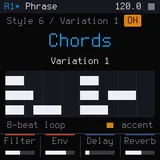
- Chord progressions: on PAD with EDIT, KNOB4 (CHORDS) plays EPIC, DREAM, RISE, POP, MINIMAL or LOFI in place of the pad's chords, a chord a bar in the song's key (KEY OFF: A minor); REC keeps it (asks again over chords), turning back to OWN or leaving brings the chords back.
- Undo: GLO brings back the song as it was before the last change (changes less than a second apart are one, loading a song is one too); GLO again brings the change back. GLO glows when there is something to bring back.
- A box over the page says for 2 s what a press or turn did: UNDO or REDO on GLO, the bass line or rhythm ALGORITHM picked.
- Bass lines and ARP rhythms: on BASS with EDIT, ALGORITHM plays OFFBEAT, OCTAVES, GALLOP, ROLLING or ACID, made of the pad's chords (root, octave, fifth: never a wrong note); on ARP STRAIGHT, EIGHTHS, SYNCOPATED or GATE. REC keeps it (asks again over notes), turning back to OWN or leaving brings the notes back.
- Styles: on SONGS with NEW selected, KNOB2 (STYLE) picks EMPTY, TRANCE, TECHNO or LOFI. A style is a song to build on: INTRO BUILD DROP BREAK BUILD DROP OUTRO, each part with its groove, chords, bass and arpeggio, the lead left free.
- Live recording: REC on a track with EDIT while the song plays (or PLAY while recording): the keys' notes sound at once and land on the nearest step, as long as they were held, over the notes that are there. The screen follows the bar that plays; GLO takes the whole take back.
- Hints: a track with nothing in the pattern on the screen says what to do there (DRUMS at the right of the drums' names, the others over the roll), with EDIT, without it and while recording. Recording, OCT- / OCT+ show the notes the keys play now (e.g.
F2 TO C4) for 2 s. New screenshots of DEMO1 in the README. - DRUMS: GROOVE's value is no longer half covered by the marks of the drums' pages.
- A mix per pattern: FX on JUICY goes round NAMES, MIXER and back. MIXER is the pattern on the screen's own mix: with EDIT the lower keys 1 to 5 mute a track in this pattern only (the arpeggio alone for a few bars, without the pad), SELECT and KNOB1 set a track's level in it, on top of the track's LEVEL; from one pattern to the next the level glides for 12 ms, so nothing clicks. A pattern is 494 B (was 488), a song 4032 of 4084 B; songs and library patterns kept before load with every track full and nothing muted.
- Copying a bar: with EDIT on a track's last bar, holding OCT+ adds a bar that is a copy of it (notes, gates, accents); tapped, the new bar is empty as before. OCT+ now moves when it is let go, as OCT- does.
- ARP's MODE TONES (after RAND 3): each hit plays its own tone of the pad's chord, 1 to 8 (the chord's notes from the root up, then an octave higher), so a bar of hits is a riff that follows the chords. KNOB1 is a hit's TONE with the cursor on it; the chord's keys are lit and give the tone, also when recording. The tone lives in the hit's step (no more storage); hits placed before are tone 1.
- PAD chords MADD9 and ADD9: minor and major with an added ninth, voiced close (root, ninth, third, fifth).