
The Firmware Hub · FM-1 · VNL-1

VNL-10.9.2 · beta

A generative lo-fi DJ groovebox: endless, complete songs built with music theory, each with its own key, chords, layout and six-part band (drums, bass, accompaniment, lead, pad, texture). Let it play, or shape the songs live.
Text by the maker.
About it
- Runs on
- FM-1 · Browser ↗
- Release
- 0.9.2 · released 15 Nov 2026 · on the hub since 17 Nov 2026601 KB · what's new
- Licence
- GPL-3.0 · source ↗ · copy on the hub
- Flash chip
- Every FM-1, the newer chip
0xB36014too - Identity
FM-1_22000902what it reports over USB while it runs- Build
- Built by its maker, not signed
- Popular
- ↓ 14 installs via the hub · ★ 3 on GitHub
Ratings
Like VNL-1
Changelog
What changed, version by version3 versions
0.9.2 (2026-11-14)
- Subtler stutters: the whole-mix stutter now has four figures in two kinds. About once a song a simple one ends a group: beat 4's first 8th repeated, or a 16th roll across beat 4. About every other song, once at most, a complex one: beat 4 rolling from an 8th through a 16th to 32nds, or the 2-beat catch from before. The simple ones may also land where a section is filtering the lead; the complex ones still don't.
- Stutters where no lead plays: the stutters now end groups in every groove or lead section, with the lead or without it, at the same rate a song (about one simple, about every other song one complex). Never in an intro, an ending or a break, nor before the song has found its feet: the lead's first 8 bars, or the first 8 bars of the first section without it.
- A move for the section's end: queue a fill or a stutter for the last bar of the section playing, on the Sections screen's K3 (END) or on any screen with the lowest black key, F#3. Turn K3 left for the accompaniment's fill, further for the drums', right for a simple stutter, further for a complex one, back to the middle to cancel; each press of F#3 steps through a simple stutter, a complex one, the drum fill, the comp fill and off. The screen reader says DRUM FILL, COMP FILL, OFF, STUTTER SIMPLE or STUTTER COMPLEX. One at a time: a new choice replaces the one waiting. The drums' fill is their snare roll and kick on beat 4; the accompaniment's, from beat 3, a guitar pushing into the change with the drive strum, or the keys, harp, vibes, organ and pad running up the chord they're playing; only that bar's drums or accompaniment change, nothing else in the song, and it plays even on a drum drop or in a section without them. A stutter takes the place of the song's own on that bar. Queued once it would have started there, it waits for the next section's last bar. Never in the ending; the intro is fine. It shows on K3, and F#3 blinks, until it plays; a press while stopped queues one for when the song plays. Like Loop and Stay on song, it isn't saved with the song.
- Hold G5 to stutter: hold the top white key on any screen while a song plays and it catches an 8th of the whole mix on the next 16th and repeats it, faster on each beat (16ths, 32nds, then 64ths), a low-pass closing a little at each step; let go and the mix comes back on the next 16th. The screen reader says STUTTER. It overrides the song's stutters: one whose bar the hold touches is skipped, and a queued one that the hold keeps from playing waits for the next section's last bar. A hold leaves a queued move as it is. Songs are unchanged.
0.9.1 (2026-11-14)
- Progressions: a duplicate of the ii7-V7-Imaj7-VI7 loop was removed (43 progressions now), so each progression is drawn equally often.
- For developers:
tools/size_report.pybreaks the flash, SRAM and sample bank down by part.
0.9.0 (2026-11-13)
The first public release: a generative lo-fi hip hop firmware for the M-VAVE FM-1.
- Steadier audio: the next bar's planning spread across the bar's last 16ths (no more mid-song drop-outs), a new song set up and its first bar planned during the silence before it (far fewer heavy blocks as a song starts), and each audio block rendered a block ahead, giving a heavy block (a new song's first notes) twice the time.
- The splash's tagline: Generative LO-FI (was LO-FI GENERATOR).
- Newer FM-1 units: should work on the units with the UC25HQ80 flash chip (sold since autumn 2026), through fm1-base's support for it; not yet verified on one.
- ACCOMP: the screens and the screen reader name the accompaniment part ACCOMP (was COMP).
- Endless songs: each from a seed, with its own key, mode, tempo, chords, layout and band; a short silence, then the next, never with the last song's comp and lead together. 40 instrument sets in five flavors, 44 progressions, five song layouts, four moods.
- Six parts: drums (eight kits, two of them sampled; Room - brushes only in sunny songs), bass (four), comp (nine instruments, eight rhythms, strummed guitars), lead (eight instruments, eight styles, looped like a sample), pad, and texture (dust, noise bed, room).
- Sampled instruments: piano, nylon, electric and jazz guitar, cello, harp and two room kits, from CC0 libraries, in a sample bank written once, by the browser installer or
tools/fm1_bank.py. - The harp on the comp: in three sets (harp and flute, bossa harp and vibes, harp and felt), the sampled harp strums in half its songs (ballad, bossa or charleston, each stroke a quick roll up the strings) and rolls held or half-note chords in the rest, each roll centered on the beat.
- A lo-fi mix: wow and flutter, saturation, grit, chorus, delay, plate reverb, kick ducking and a whole-mix stutter on the last bar of a 4- or 8-bar group.
- The comp over a low lead: with the jazz guitar or the cello leading, the comp keeps its own register with the lead (a note fewer and a dip where the lead sounds) in three songs out of four, or lifts an octave over it; the Comp screen's page 2 (K3, Over a low lead) forces either.
- Bass that carries on small speakers: every bass but the sub adds gentle harmonics (a parallel saturation) in the register it plays, so laptop and phone speakers hear its line; the sub stays clean. Settings' BASS SATURATION turns it off for good speakers (at the next bass note, kept through power-off).
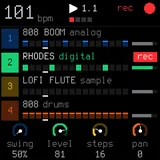
- On the device: a boot splash, a now-playing screen, a main screen, a page per part, Parts, Sections and Mixer screens; mute and solo from the keys; every change landing on the next four-bar line; a screen reader; USB audio.
- The mood on now playing: the now-playing screen shows the song's mood (SAD, WISTFUL, WARM or SUNNY) on its own line under the tempo, and the screen reader says it.
- A record on the main screen: the now-playing screen's record, smaller, half of it showing at the left edge of the main screen's song tile as on the splash and now playing, turning while a song plays and easing to a stop when it stops; the chord, the layout and the section strip move right to make room. Only its label is redrawn as it turns (a 12 x 23 pixel box).
- Part locks: hold SEQ on a part's screen, or on the main screen with its tile highlighted, and every new song keeps that part (its instrument, rhythm or style, register and variations) while the rest rolls. The song line locks too (key and scale, tempo, motion, mood).
- Saved songs: SAVE on the Song screen keeps the song in one of 16 slots (its whole roll and every change made to its parts), through power-off; REC opens the Saved list, where EDIT loads a song as the next one, SAVE saves into a chosen slot and SAVE held deletes. The flash is written only while all is silent (a save while music plays waits for the stop). SAVE held on the Song screen shows the measures SAVE shows elsewhere. A USB backup holds the saved songs, the home, the theme and the bass saturation;
tools/fm1_songs.pyreads and writes single songs. - Themes on the device: Settings (GLO) has a working THEME: SELECT, PRESET or ALGO highlights a setting and any of K1-K4 changes it; THEME steps through every palette fm1-base carries, at once and kept through power-off, so the colors can be judged on the FM-1's own screen. GARNET is the default; GARNET+ (a touch more blue), BLACK CHERRY (darker still), OXBLOOD, OXBLOOD+, PLUM and PLUM+ are new beside teal, olive, espresso and the black ones.
- The home screen in Settings: HOME SCREEN picks the home, SIMPLE (the now-playing screen, the default) or DETAILED (the main screen): where the FM-1 starts after the splash, where each new song and HOME from any other screen land. Kept through power-off and in a USB backup. HOME on the now-playing or main screen still switches between the two, but no longer changes the home.
- A CPU guard that sheds reverb tails and quiet voices before the audio can glitch.
- Coral on garnet: the screens, the workbench's device mock and the site share one palette, GARNET (a red-black like a dark wine, coral, blush white); Settings' THEME offers the others.
- A site with a browser installer (Chrome or Edge), in the screens' colors: the firmware (
vnl-1-0.9.0.fwsc), then the sample bank; the emulator and the manual beside it. - For developers: the host simulator, the browser emulator, the workbench, and patterns as MIDI and MusicXML.
Fixes:
- Changes while a section loops: a change due at the looping section's end used to wait forever (the loop went back first); it now lands as the loop starts again. Stay on song alike.
- Crackles as a change lands: the bar a change lands on (an instrument, rhythm, style, the kit, the key or mood) was worked out on its own downbeat, a block over three times its usual. It is now worked out ahead with the change in, a part a block, as every other bar is, also when a looping section carries the change round. The music is the same, sample for sample. A change made in the last seven 16ths before its line still lands the old way.
- Drop-outs mid-song: the next bar's planning ran in three 16ths (its voicings, the lead's plan, the four-bar pad group), and the heaviest outran an audio block now and then (about one a minute or two on the FM-1). The bass line the planners read is now worked out a bar at a time (the lead's plan in a quarter of the time), and the planning is spread over seven 16ths, a piece each: the bar's voicing, the next bar's, the lead's plan, then the pad group a bar at a time. Songs with the harp on the comp now take that planning too (their downbeats planned the bar again). The same music, sample for sample.
tools/fm1_state.pyshows the last late blocks, each with its bar, 16th, the planning piece it made and all its causes (a new cause, plan). - Saved songs through
tools/flash.sh: its stock V15 step erased them (stock claims that flash as its own); it now exports them first and writes them back after.tools/fm1_songs.py listtags each song[flash]or[RAM only], and tells a failed flash write from one waiting for silence.
Known limits: no Bluetooth, so no velocity or pressure from the keys. The Settings screen's only working settings are THEME, BASS SATURATION and HOME SCREEN. See ROADMAP.md for what's next.